
NORVI NEURAL / FOR DEVELOPERS
Your coding agent
has a serial port.
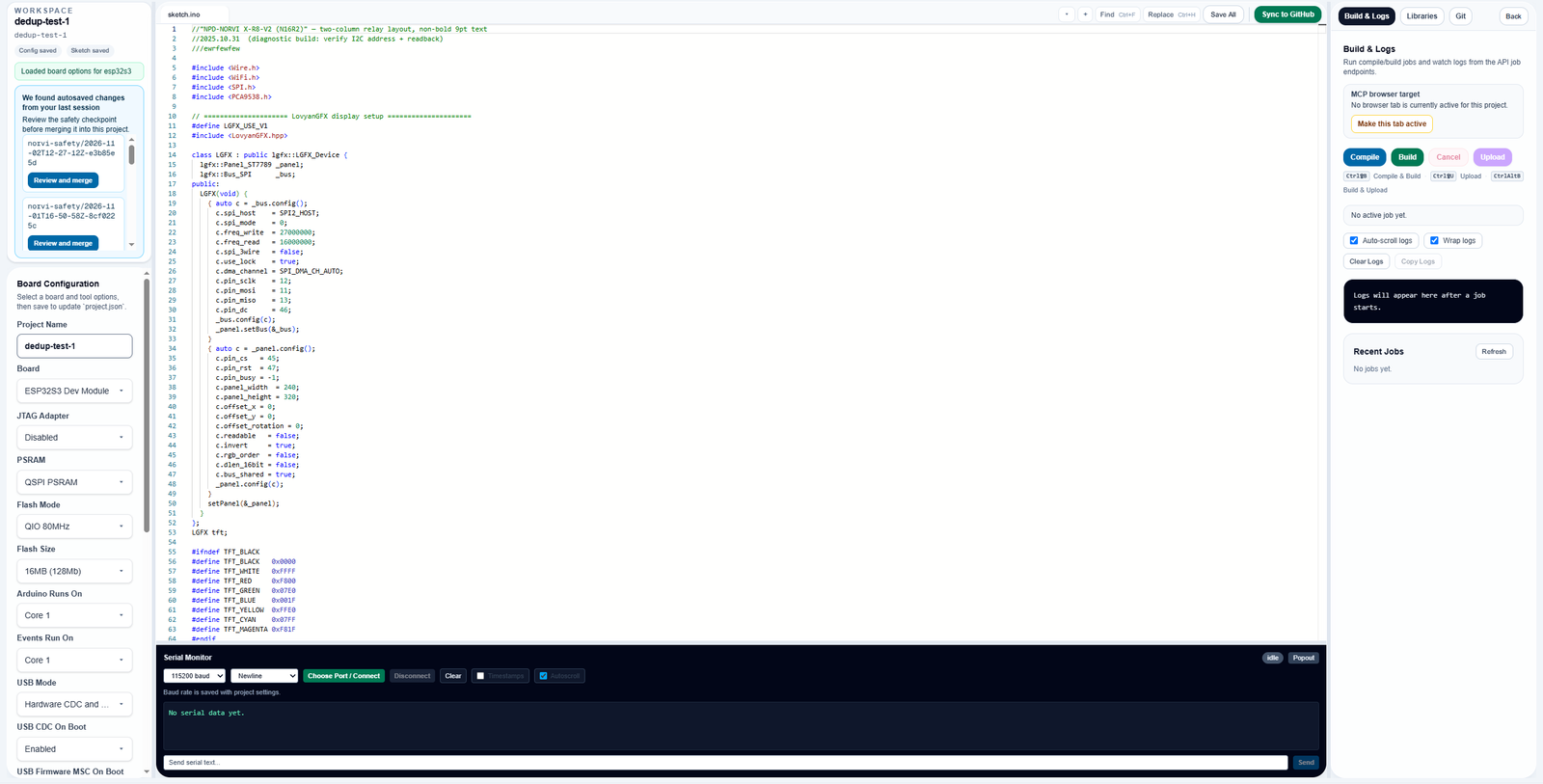
Claude Code reads your project, compiles, pushes over cellular and reads the device's live serial, on a controller that's already deployed.
MCP connector included on the Free plan. Cellular field workflows require NORVI XN.
01 / THE CONNECTOR
Explore MCP tools.
Inspect the call syntax.
Explore the documented connector functions, inspect the MCP request structure and use the tool schema to supply the required arguments.
neural.mcp / TOOL EXPLORERMCP / tools/call REQUEST INSPECTORWork inside your firmware project.
Build your source, install libraries and configure the target board without leaving the coding agent's workflow.
build_projectinstall_librarywrite_board_configExplore exact tool definitions.
Get tool names and their inputSchema from the connector's tools/list response. A request template becomes a usable call when its arguments satisfy that schema.
Inspect a complete MCP tool manifest
Paste the JSON returned by tools/list to inspect every tool, its declared parameters, required fields and call envelope. The JSON is parsed in your browser only.
02 / DEVELOPER WORKFLOW
The inner development loop.
From build to field logs.
Choose each stage to inspect the MCP operation and its hardware requirements. This is the build → OTA → logs → fix loop for a deployed device.
Start in the code you own.
Your coding agent works with standard ESP32 source files. Keep your existing ESP32 project structure and move through the workflow from there.
Project source → agent workspaceRead the output, adjust the code and run the loop again. Cellular OTA and field logs require NORVI XN.
03 / RELEASE CONTROL
Move fast in R&D.
Protect production.
Keep development iteration separate from the release path for deployed production devices. A promoted release is the explicit boundary.
Development paths are governed by project authorization and plan rules.
Production devices receive promoted firmware releases.
XN OTA Manager operates independently of the application processor for field recovery workflows.
promote_project_release04 / FIELD DEBUGGING
When the application fails,
the debug path stays.
The NORVI XN independent OTA Manager keeps supported update and field serial functions available after an application crash, provided the device still has power and connectivity.
Interactive architecture illustration, not live telemetry. This is an XN feature, not a generic ESP32 capability.
Application running. Independent OTA Manager available.*Subject to device power, cellular connectivity and required permissions.
05 / COMPATIBILITY
Your ESP32 project.
More reach with XN.
Neural Studio is built around standard ESP32 development. NORVI XN adds a second processor dedicated to cellular updates and persistent field diagnostics.
Standard ESP32 code.
your existing codebase.
Keep ownership of your application code and your endpoint. The browser development workflow is not a new firmware language.
| Capability | Other ESP32 | NORVI XN |
|---|---|---|
| Standard Existing ESP32 code source | Supported | Supported |
| Neural Studio development | Supported | Supported |
| Cellular field OTA via Neural Deploy | Not included | Supported |
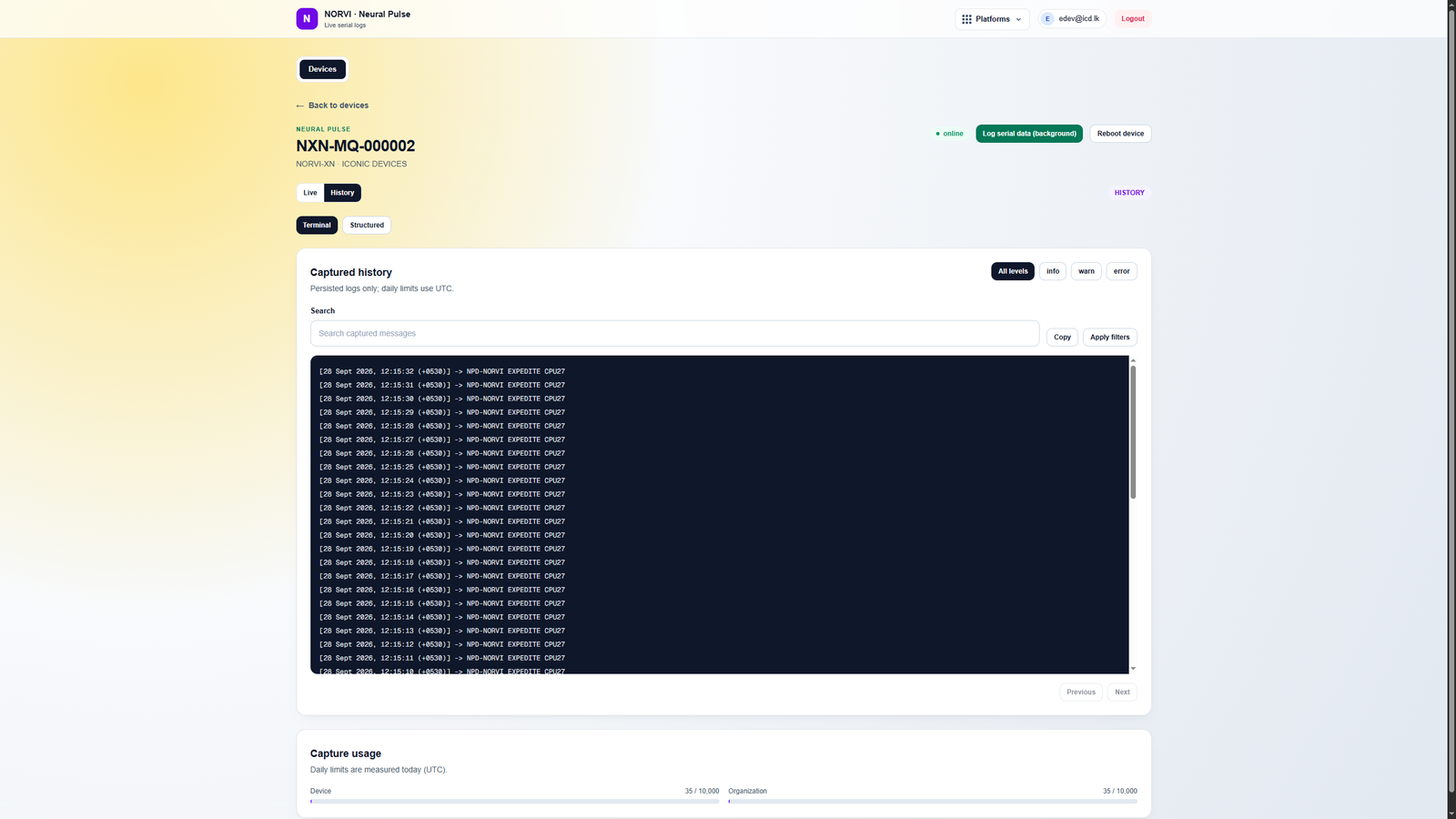
| Field serial logs via Neural Pulse | Not included | Supported |
| Independent OTA Manager | Not included | Supported |
XN field access requires power and network connectivity. Hardware modem options depend on configuration.
06 / BROWSER WORKSPACE
Your source code.
Your toolchain.
Use NORVI Neural Studio to work with ESP32 code from a browser and follow the same engineering context through deployment and diagnostics.
- Build against ESP32 project files
- Keep your current codebase
- Use XN for cellular OTA and field serial
07 / START FREE
MCP included. No connector fee.
The Free plan gives you a defined starting allowance for developing and evaluating NORVI Neural.
Start with the MCP connector and a practical evaluation allowance. Limits apply.
Join the betaThe MCP connector is free on every plan and does not use the built-in AI interaction allowance. Feature limits are subject to the published plan terms.
08 / RESOURCES
Keep building.
Go deeper into NORVI hardware and product documentation. Dedicated Neural quick-start, remote serial and migration guides are routed at launch after verification.
09 / FAQ
Questions from
developers.
Important distinctions before connecting an agent or deploying a device.
Can Neural Studio work with a third-party ESP32?
Yes. Neural Studio supports standard ESP32 development. Cellular field OTA and persistent field serial diagnostics through Neural require NORVI XN.
Does the MCP connector count against built-in AI interactions?
No. The MCP connector is free on every plan and is separate from the built-in AI interaction allowance.
Can I keep my existing ESP32 code?
Yes. NORVI Neural works with standard ESP32 code. You retain your existing ESP32 project and can use your own endpoint.
What if the application on XN crashes?
XN has an independent OTA Manager designed to keep firmware update and field serial functions reachable when the application processor crashes, provided the unit remains powered and connected.
Can my coding agent push directly to production devices?
Production devices receive promoted releases. Development access and push permissions depend on project authorization and plan eligibility.
READY TO CONNECT?
From source code to
a deployed device.
Connect Claude Code through MCP and keep one workflow from build to diagnostics.