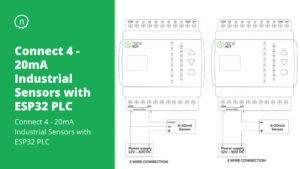

Connecting a 0-10V analog sensor to an ESP32 is one of the most common tasks in industrial IoT projects. Whether you are monitoring pressure, temperature, flow rate, or light intensity, the 0-10V signal standard is the go-to choice in industrial environments. The challenge? The ESP32’s ADC pins can only handle up to 3.3V safely. Feed it more and you risk permanent damage.
This guide walks you through every step – from the voltage divider circuit to the Arduino code – so your sensor readings are accurate, stable, and production-ready. You will also learn when to use the onboard 12-bit ADC versus an external ADS1115 for higher precision.
Quick Tip
Why 0-10V Sensors Are the Industrial Standard
Voltage-mode sensors (0-10V) have been used in factory automation for decades. Here is why engineers still prefer them in 2025:
- Long cable runs: Voltage signals resist noise over distances up to 200 m
- High immunity to electrical interference from motors and VFDs
- Simple wiring: just signal and ground – no loop-power complexity
- Wide compatibility with PLCs, SCADA systems, and microcontrollers
Pairing a 0-10V sensor with the ESP32 – which brings Wi-Fi, Bluetooth, and powerful processing – gives you a low-cost, cloud-connected sensing node that rivals expensive proprietary hardware.
Components You Need
Gather these parts before you start:
- ESP32 development board (e.g., NORVI IIOT, DevKitC, or WROOM-32)
- 0-10V analog sensor (pressure, temperature, light, flow, etc.)
- Resistors: 68 kΩ and 33 kΩ (1% tolerance recommended)
- Optional: ADS1115 16-bit ADC module (for higher accuracy)
- Breadboard and jumper wires
- 12V or 24V DC power supply for the sensor
- USB cable and a PC with Arduino IDE or PlatformIO installed
Safety Note
Circuit Design: Voltage Divider for ESP32
The ESP32’s ADC input is rated for 0-3.3V. A 0-10V signal must be scaled down before it reaches the GPIO pin. A simple resistor voltage divider achieves this.
Voltage Divider Formula
Vout = Vin × R2 / (R1 + R2)
Using R1 = 68 kΩ and R2 = 33 kΩ:
Vout = 10V × 33k / (68k + 33k) = 10V × 0.327 = 3.27V
This keeps the maximum output just under 3.3V — safe for the ESP32 ADC. Connect the sensor output to the junction of R1 and R2 and run that midpoint to any ESP32 ADC-capable GPIO (GPIO 32–39 is input-only and ideal for this purpose).
Wiring Summary
- Sensor (+) → 12V/24V power supply positive
- Sensor (–) → Power supply GND and ESP32 GND (common ground is essential)
- Sensor signal output → R1 (68 kΩ) → ESP32 GPIO 34
- Between R1 and GPIO: R2 (33 kΩ) to GND
Note
Higher Accuracy: Using ADS1115 with ESP32
The ESP32’s internal ADC is 12-bit (0–4095) but has known nonlinearity issues, especially above 3.1V. For applications that demand ±0.1% accuracy — such as industrial process control — the ADS1115 is the better choice.
The ADS1115 is a 16-bit, I²C ADC with a programmable gain amplifier. It connects to the ESP32 over just two wires (SDA and SCL) and gives you readings from 0–32767 for a full-scale input, dramatically reducing measurement error.
ADS1115 Wiring
- ADS1115 VDD → ESP32 3.3V
- ADS1115 GND → ESP32 GND
- ADS1115 SCL → ESP32 GPIO 22
- ADS1115 SDA → ESP32 GPIO 21
- ADS1115 A0 → Voltage divider output (same as above)
Install the Adafruit ADS1X15 library from the Arduino Library Manager before compiling.
Arduino Code: Reading 0-10V with ESP32
Option 1 – Internal ADC (12-bit)
const int analogPin = 34;
const float R1 = 68000.0, R2 = 33000.0;
const float dividerRatio = (R1 + R2) / R2;

void setup() { Serial.begin(115200); }

void loop() {
  int raw = analogRead(analogPin);
  float vADC = raw * (3.3 / 4095.0);
  float vSensor = vADC * dividerRatio;
  Serial.print("Sensor Voltage: ");
  Serial.print(vSensor, 3);
  Serial.println(" V");
  delay(500);
}
Option 2 — ADS1115 (16-bit, recommended)
#include <Adafruit_ADS1X15.h>
Adafruit_ADS1115 ads;
const float dividerRatio = (68000.0 + 33000.0) / 33000.0;

void setup() {
  Serial.begin(115200);
  ads.setGain(GAIN_ONE); // ±4.096V range
  ads.begin();
}

void loop() {
  int16_t raw = ads.readADC_SingleEnded(0);
  float vADC = raw * 0.0001250; // 0.125mV per bit at GAIN_ONE
  float vSensor = vADC * dividerRatio;
  Serial.print("Voltage: ");
  Serial.print(vSensor, 4);
  Serial.println(" V");
  delay(500);
}
Testing and Calibration
After uploading the code, open the Serial Monitor at 115200 baud. Follow these steps:
- Apply 0V to the sensor input. The serial monitor should read approximately 0.00 V.
- Apply a known voltage (e.g., 5.00V from a regulated supply). Compare the displayed reading against a multimeter.
- Apply 10V. The reading should be 10.00V ±0.1V (±1% for 12-bit; tighter with ADS1115).
- If readings drift, add a 100nF decoupling capacitor across R2 to filter high-frequency noise.
Pro Tip
Troubleshooting Common Issues
- Readings stuck at 0 or 4095: Check common ground between sensor and ESP32
- Erratic values: Add a 100nF capacitor from the ADC pin to GND; shorten sensor wires or use shielded cable
- Readings max out below 10V: Recheck your resistor values with a multimeter
- ESP32 resets or freezes: Your voltage divider output may exceed 3.3V — verify resistor ratios
- ADS1115 not found: Confirm SDA/SCL connections and I²C address (default 0x48)
Skip the Wiring: NORVI IIOT Industrial ESP32
For production deployments, building your own voltage divider introduces variables — resistor tolerances, PCB parasitics, and assembly errors. The NORVI IIOT series solves this by integrating protected 0-10V analog inputs directly on the board.
Key features of NORVI IIOT for analog sensing:
- Built-in 0-10V analog inputs — no external attenuation circuit needed
- 16-bit ADS1115 ADC onboard for high-accuracy industrial measurements
- DIN-rail mountable enclosure rated for harsh industrial environments
- ESP32 core with Wi-Fi and Bluetooth for IIoT connectivity
- Compatible with MQTT, Modbus TCP, HTTP, and Node-RED out of the box
This makes the NORVI IIOT the fastest path from a 0-10V sensor to a cloud dashboard — with no compromise on accuracy or reliability.
Frequently Asked Questions
No. The ESP32’s ADC pins are rated for a maximum of 3.3V. Applying 10V will damage the pin permanently. Always use a voltage divider or a dedicated level-shifting circuit.
68 kΩ (R1) and 33 kΩ (R2) are a reliable starting point. They scale 10V down to about 3.27V and draw only ~99 µA from the sensor — low enough to avoid loading most industrial transmitters.
For most industrial applications, yes. The ESP32’s ADC has a nonlinearity of up to ±6% near the top of its range. The ADS1115 delivers 16-bit resolution with better linearity and is worth the small additional cost.
Any two-wire or three-wire 0-10V transmitter: pressure sensors, temperature transmitters, humidity sensors, CO₂ sensors, lux meters, flow meters, and level sensors. Confirm the sensor’s output load current rating supports the 99 µA drawn by the divider.
Conclusion
Interfacing a 0-10V analog sensor with ESP32 is straightforward when you understand the voltage scaling requirement. A simple resistor divider protects your microcontroller and gets you accurate readings in minutes. For higher precision, swap in an ADS1115. For industrial deployments where reliability and DIN-rail form factor matter, the NORVI IIOT series gives you everything built-in.
Whether you are building a prototype on a breadboard or deploying sensors across a factory floor, the techniques in this guide scale with you. Start simple, validate your readings, and upgrade your hardware as your application demands.

 by
by